Existing Business Processes in HubSpot for Enterprise SaaS
Renewals, upsells and cross-sells deserve the same rigour as new business. How to configure the existing-business pipeline in HubSpot in about ten minutes.
From “Closed Won” to Flywheel: Map the Post-Sale Journey
Don’t stop at “Closed Won.” Model the full customer lifecycle so each phase is measurable and actionable.
Core stages to operationalize
- Ready for Onboarding → contract closed, kick-off scheduled, materials prepped
- Onboarding → setup, integrations, first trainings shipped
- Adoption / Activation → users live; usage and benchmarks tracked
- Impact → ROI measured, outcomes documented, expansion hypotheses captured
- Retention → QBRs, health monitoring, renewal motion in flight
- Downgrade → early-warning path for shrinking seats/usage; re-engage plans
- Expansion → upsell/cross-sell scoped, business case approved
- Renewed → extension booked, value narrative reinforced
- Churned → clean offboarding, reasons captured for learning loops
Pro tip: keep these stages distinct from your new-business pipeline. Existing Business is its own pipeline with post-sale probabilities and stage-gates.
How to Configure the Existing Business Pipeline in HubSpot (10 Minutes to “V1”)
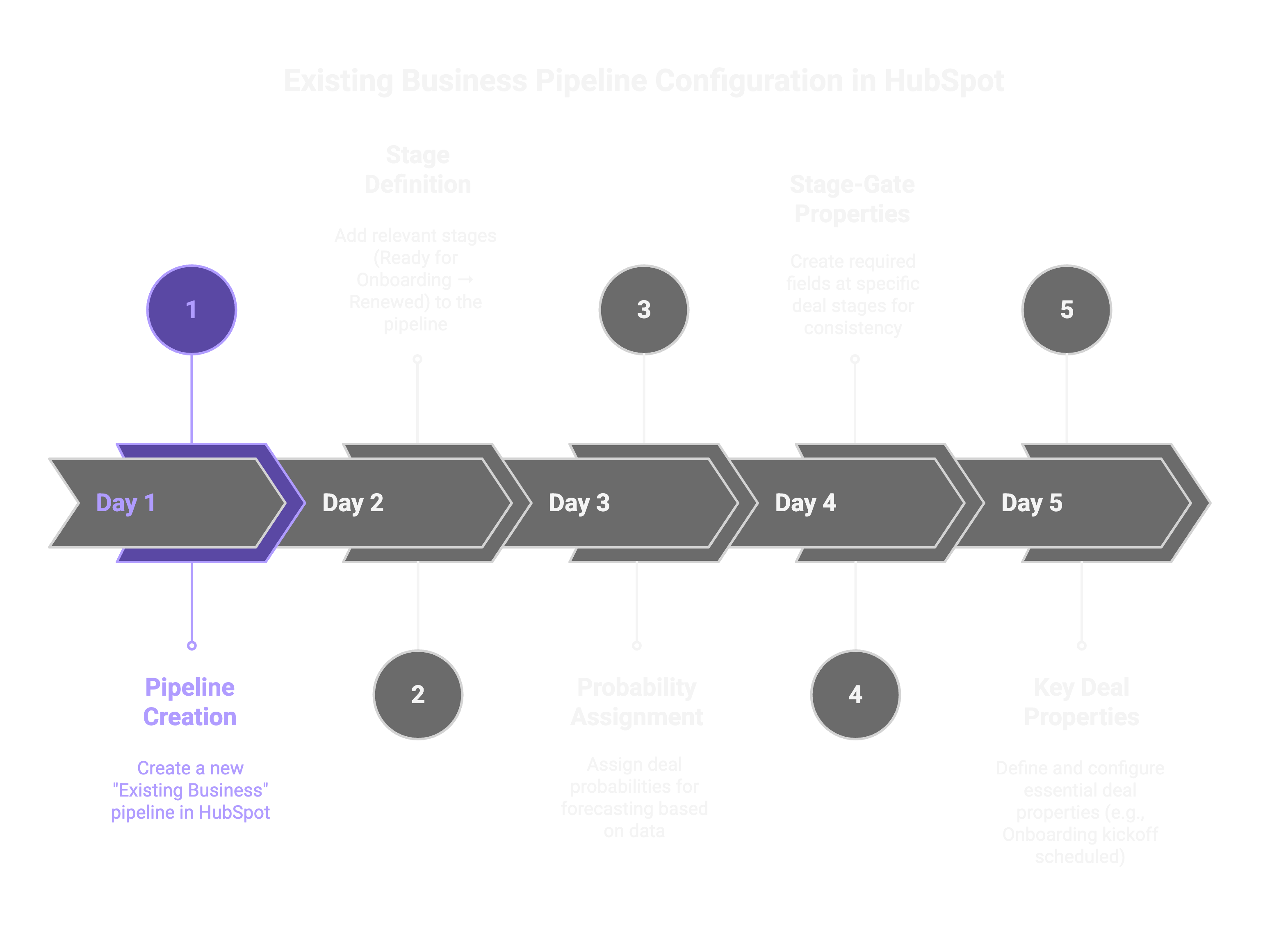
- Create the pipeline: Settings → Objects → Deals → Pipelines → Existing Business.
- Add stages & probabilities: e.g., Onboarding (10%), Impact (50%), Expansion (80%), Renewed (100%).
- Enforce stage-gates with required properties (so every deal advances on facts, not vibes):
- Onboarding kickoff scheduled (date)
- Technical setup completed (checkbox)
- Baseline training completed (checkbox)
- Live in production (checkbox)
- Engagement threshold met (number)
- ROI measured & documented (checkbox)
- Business review scheduled (date)
- Expansion opportunity identified (checkbox)
- Renewal discussion scheduled (date)
- Churn prevention measures implemented (checkbox)
- Customer feedback collected (checkbox) / Churn reason (multi-select)
Automation That Removes Friction (and Missed Handovers)
Use Workflows to keep momentum from Sales to CS and back again.
- Auto-create the CS deal: When a New Business deal hits Closed Won, spawn an Existing Business deal, set the CS owner, and attach the account plan.
- Onboarding task pack: Kick off a task queue (deck, integrations, training schedule) the moment “Ready for Onboarding” is set.
- Customer comms: Send welcome emails with the link to the onboarding portal or intake form.
- Health & renewal timers:
- Time delays to nudge renewals (T-120/T-60/T-30).
- If/then alerts when engagement falls below your baseline.
- Expansion watch: When ROI documented = yes and engagement ≥ threshold, notify AE/CSM and create an Expansion discovery task.
Sales Hub: Build the Expansion Muscle
Give teams the tools to drive—and document—value:
- Playbooks: Templates for QBRs, ROI narratives, and upsell discovery.
- Tasks & Sequences: Check-ins N days after go-live; reminders to review usage, adoption, and stakeholder threading.
- Custom properties for readiness:
- User engagement score
- CSAT/NPS/CES
- Feature adoption rate
- Advocacy status (reference ready)
- Root-cause analysis status (when usage dips)
- Re-engagement & ROI reinforcement plans captured

Service Hub: Retain What You’ve Won
Layer Service Hub for scalable retention and early risk detection.
- Tickets & SLAs: Operational guardrails for support and customer requests.
- Feedback surveys (NPS/CSAT): Predict intent and trigger save motions.
- Knowledge base & customer portal: Self-service that reduces time-to-value and increases transparency on renewals and tickets.
Dashboards That Leadership Actually Uses
Track a handful of metrics that correlate with revenue outcomes:
- Expansion Rate – % of customers with upsell/cross-sell in period
- Renewal Rate – % of customers renewed in period
- Churn Rate – % of customers lost
- Time to Expand – avg. days from onboarding → first expansion
- Customer Health Score – composite of NPS/CSAT + engagement
- ROI Realization Rate – % of customers with ROI field completed
Build one Existing Business dashboard per audience (Exec, CS, Sales) and gate your KPIs to the stage-gates above—what gets measured gets managed.
Governance: Keep Data (and Behavior) Clean
- One pipeline per motion (New vs. Existing Business).
- Mandatory stage-exits: don’t advance without the required facts.
- Auto-logging & naming conventions for notes, QBRs, and ROI docs.
- Weekly ABR (Account Business Review): 30 minutes to scan stage movement, risks, and expansion next steps.
Quick-Start Checklist (Print This)
- Existing Business pipeline created with stages & probabilities
- Stage-gates (required properties) configured
- Closed-Won → CS deal workflow live
- Onboarding task pack + welcome email live
- Health alerts + renewal timers configured
- QBR/ROI playbooks published
- Exec/CS/Sales dashboards shipped
Common Pitfalls (and How to Avoid Them)
- Treating Existing Business like “just another stage.”
Fix: give it a separate pipeline, metrics, and owners. - Advancing stages without artifacts.
Fix: enforce required properties and attach docs (QBR, ROI). - Renewal “surprises.”
Fix: auto-create renewal deals at T-120, with tasks & sequences. - Expansion as a lucky break.
Fix: tie alerts to engagement + ROI; log hypotheses and next steps.
The Payoff
Operationalizing Existing Business in HubSpot shifts your revenue story from one-off wins to a measurable, expandable relationship with every customer. Sales keeps context, CS proves impact, leadership gets reliable forward indicators—and your board sees compounding NRR instead of one-time heroics. Start simple, enforce the gates, and let the flywheel spin.
Frequently asked questions
Should existing business run in the same pipeline as new business?
Which stages belong in an Existing Business pipeline?
How do you stop deals from advancing on assumptions?
A free 60-minute Launchpad clarifies which lever should move first. No pitch, honest fit / no-fit answer and a clear next step.